Check applicability before changing URLs
This is a version-dependent workaround. Confirm that it is required for your installed theme before following the older instructions below. Changing category URL structure can change existing page addresses and affect links and search visibility. Plan redirects and check the affected pages before making a live change. Contact support with your theme version and an example category if you are unsure.
In order for the sidebar sub-category or the active category to be highlighted and expanded at that postion you need to ensure breadcrumbs are enabled and then edit the category URL structure.
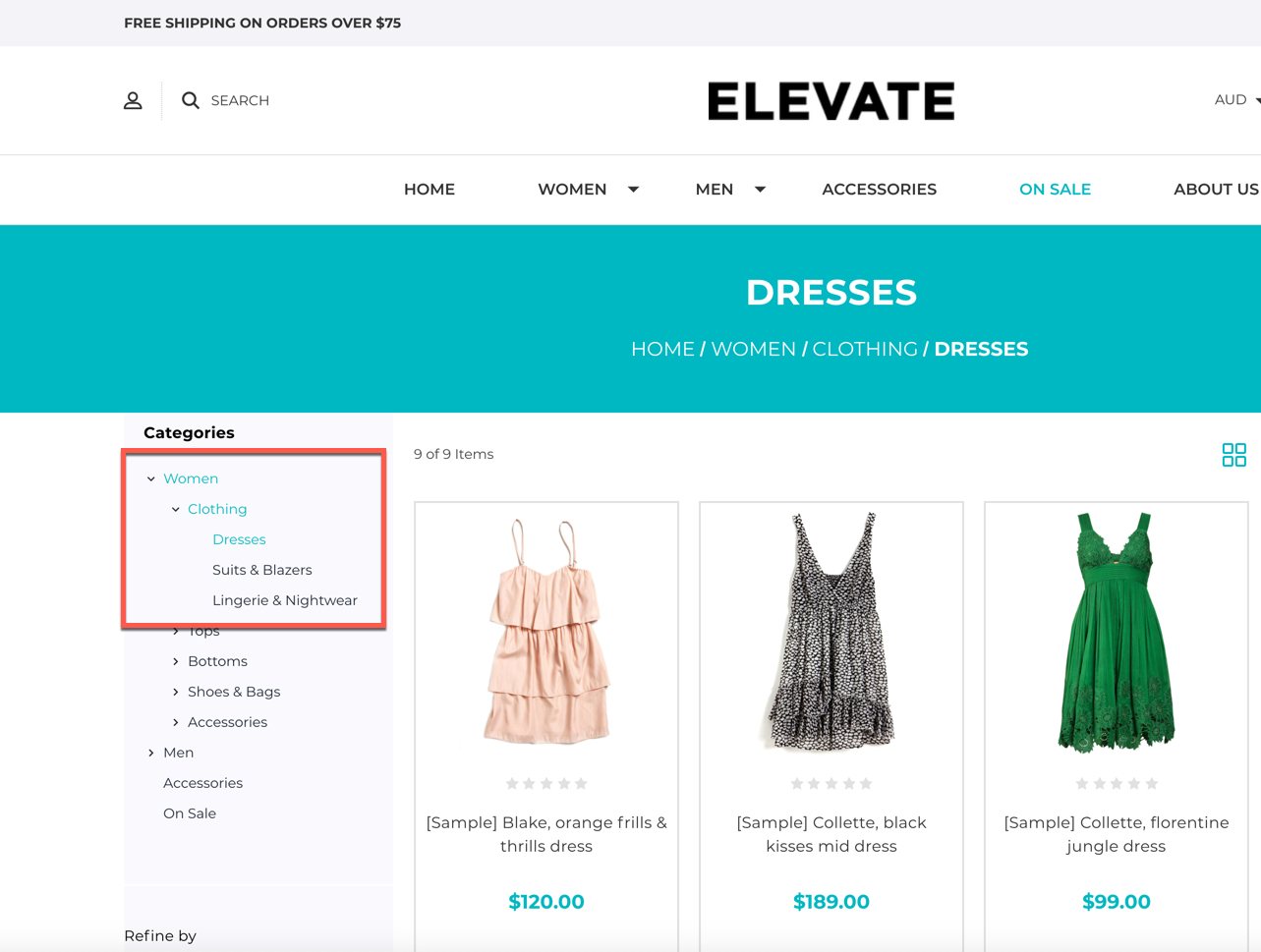
This is the only way we could get this feature to function, the way it works is it looks at the URL for example /women/dresses/ and uses the forward slashes as a way to distinguish which category in the sidebar expand and highlight.
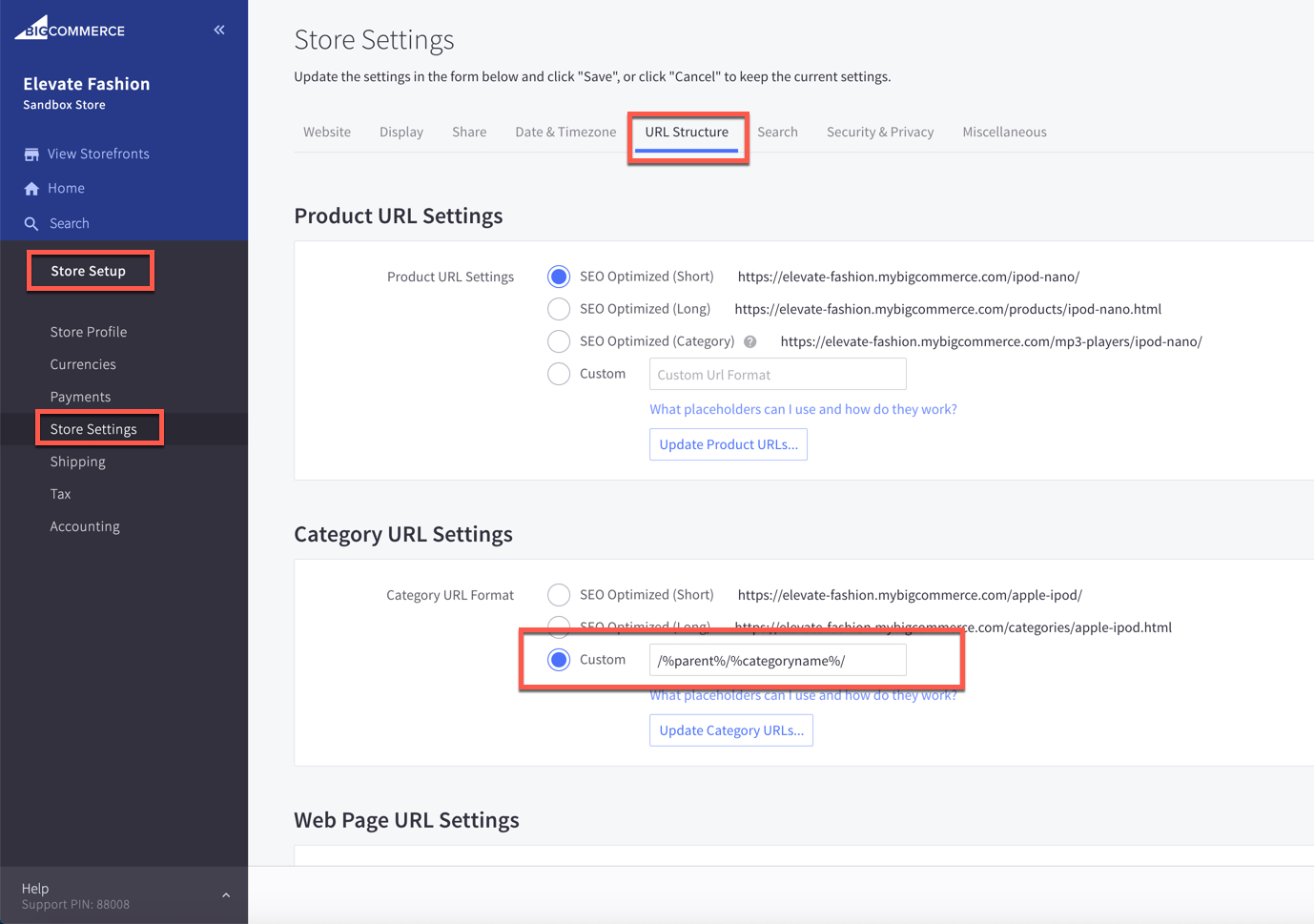
To set this up, please visit "Store Setup > Store Settings" then click on the "URL Structure" tab and scroll down to the "Category URL Settings" and change the to custom and set it to /%parent%/%categoryname%/